Icon of program: iWatermark

iWatermark for Windows

  • Trial version
  • 3.4
    22
  • 18.6K
  • V2.5.30
Download for Windows

View an ad to download for free

iWatermark: A Comprehensive Watermarking Tool

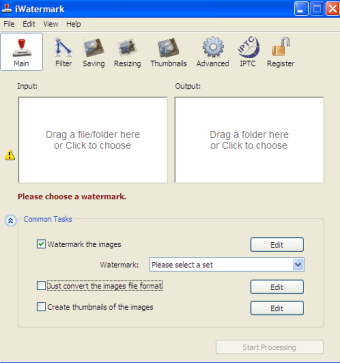
iWatermark is a trial version application designed for Windows, aimed at photographers and graphic designers looking to protect their images. This program falls under the multimedia category, specifically within photography. It offers a variety of features that allow users to add text, graphics, and logos as watermarks to their images, ensuring that their work is credited and safeguarded against unauthorized use.

Unlock your creativity with Adobe Stock

Get 10 images or 1 video with a free trial

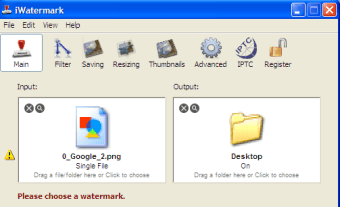
The software provides an intuitive interface that makes the watermarking process straightforward. Users can customize their watermarks with different fonts, colors, and transparency levels, making it easy to achieve the desired look. Additionally, iWatermark supports batch processing, allowing users to apply watermarks to multiple images simultaneously, which is particularly useful for professionals handling large volumes of photos.


 0/4

App specs

Also available in other platforms

Program available in other languages


Icon of program: iWatermark

iWatermark for PC

  • Trial version
  • 3.4
    22
  • 18.6K
  • V2.5.30
Download for PC

View an ad to download for free


User reviews about iWatermark

3.4

2 reviews

Add review

Main reviews for you

  • Anonymous user

    I love that when you mark your photo, it replaces the original (u can always revert back) so you dont spend extra time deleting duplicates. Also tons of both cutesy options as well as professional ones.

  • Anonymous user

    Starts great but doesn't last. I purchased iWatermark and had been happily using for a number of weeks, but the happiness didn't last. First off, in no time I got an email from my internet provider to tell me I had already used 75% of my highspeed (I am on a fairly comprehensive package and only used a nominal amount each month) and now it just won't process any pictures. I am looking for some sort of support to find out what is wrong, but so far, have not found any. Rather annoyed as I did pay for the privilege and find myself frustrated and unable to do what I paid for! All I am looking for is a solution to watermarking my online photos. The watermark I am looking for is quite simple - text only, no graphics. It should be a simple process - select photos, press "start processing" and go - and that is how it was in the beginning. Now I can select the photos, but then I can only preview - the start processing no longer works.

More

You may also like

Alternatives to iWatermark

Explore Apps

Latest articles

Laws concerning the use of this software vary from country to country. We do not encourage or condone the use of this program if it is in violation of these laws.
Softonic

Is iWatermark safe?

100/100

Score result: Clean

This file passed a comprehensive security scan using VirusTotal technology. It is safe to download.

  • Virus free
  • Spyware free
  • Malware free
  • Verified by Security Partners

    VirusTotal logo

Scan Info

Last scan
Sunday, December 3, 2023
Scan provider
VirusTotal · Full report

File Integrity

File
iWatermarkProInstaller.exe
SHA256
1bbf49e477e7c44a5f718c681391db2dd3c52f9ff165f1b9d8fc3176f916a10a
SHA1
4f91b9061448d3ae00843694087ff090745c0b98

Softonic security commitment

iWatermark has been thoroughly scanned by our advanced security systems and verified by industry-leading partners. This file comes from the official developer and has passed all our security checks, showing no signs of viruses, malware, or spyware. For more information, visit our Security and Trust Center

Signed in to Softonic as